
The company “employee photo” has long been the poor relation of internal communications. It often features a motley mix: a cropped vacation photo, a portrait taken with a smartphone that’s too dark, or the ever-present, stiff “passport-style” shot against a gray background.
However, for a team of 50 people, a staff photo gallery is a powerful tool for fostering company culture. How can you make the portraits look consistent without turning your employees into robots? Here’s the method from Photo911 for creating a modern and human employee directory.
1. Define a visual theme (the “Look & Feel”)
Harmonization does not mean boring uniformity. A team of 50 employees needs a strict technical framework that still leaves room for individuality.
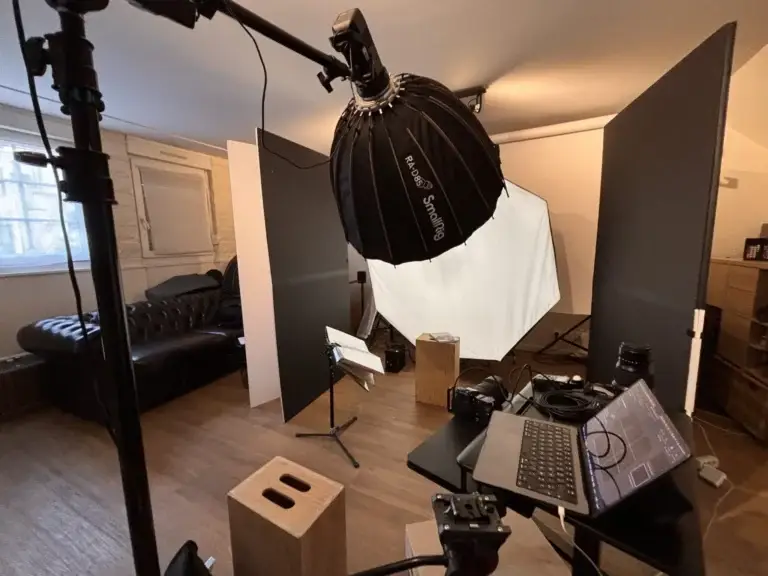
Choosing the backdrop: Instead of the classic studio backdrop, why not use your own office space? A blurred background (bokeh) showing the brick, glass, or wood of your office creates an immediate sense of place.
Color Theory: Define a color palette or a type of lighting (warm, natural, high-contrast) that reflects your brand guidelines.
Pro tip: We often recommend waist-up or head-and-shoulders shots to highlight the subject’s posture, which is more revealing than just the face. Check out our examples of corporate portraits in action.
2. Building Trust: The Secret to Looking Natural
That’s the biggest challenge when dealing with 50 different personalities: some love being in front of the camera, while others shy away from it. A successful staff photo is one in which every employee looks “good” and recognizes themselves.
Posing Coaching: A professional photographer doesn’t just press the shutter button. They direct, lighten the mood, and capture the moment when the smile is genuine.
Time Allotted: For 50 people, logistics are key. We organize sessions that flow smoothly (for example, over two days) so that no one feels rushed.
HR Tip: A photo shoot is often seen as a token of appreciation. It’s an opportunity to build team cohesion that can be incorporated into a team-building workshop.
3. Post-production and multi-channel integration
Once the photos have been taken, the work has only just begun. The final consistency comes down to editing.
Consistent editing: We apply the same adjustments to the entire series (brightness, contrast, white balance) so that, when viewed side by side, the 50 portraits form a cohesive whole on your “Team” page.
SEO Formatting: Each file must be named correctly (Last Name-First Name-Job Title.jpg) and compressed for the web without any loss of quality—a crucial factor for your website’s search engine optimization.
Wide-ranging use: These portraits aren’t just for the employee directory. They’re used in email signatures, access badges, and especially professional LinkedIn profiles for your employees, reinforcing the overall brand image (Employee Advocacy).
Conclusion: More Than Just a Gallery—It’s an Identity
A modern staff directory reflects a well-organized, people-oriented company that takes pride in its talent. It’s often the page most frequently viewed by your prospective candidates and clients.
Would you like to revamp your teams’ image in Normandy or elsewhere? Contact Photo911 to schedule your staff photo shoot and give your company the look it deserves.